

Capture, OCR, Translate, AI
Download for Windows
Screenshots and text tools for Windows
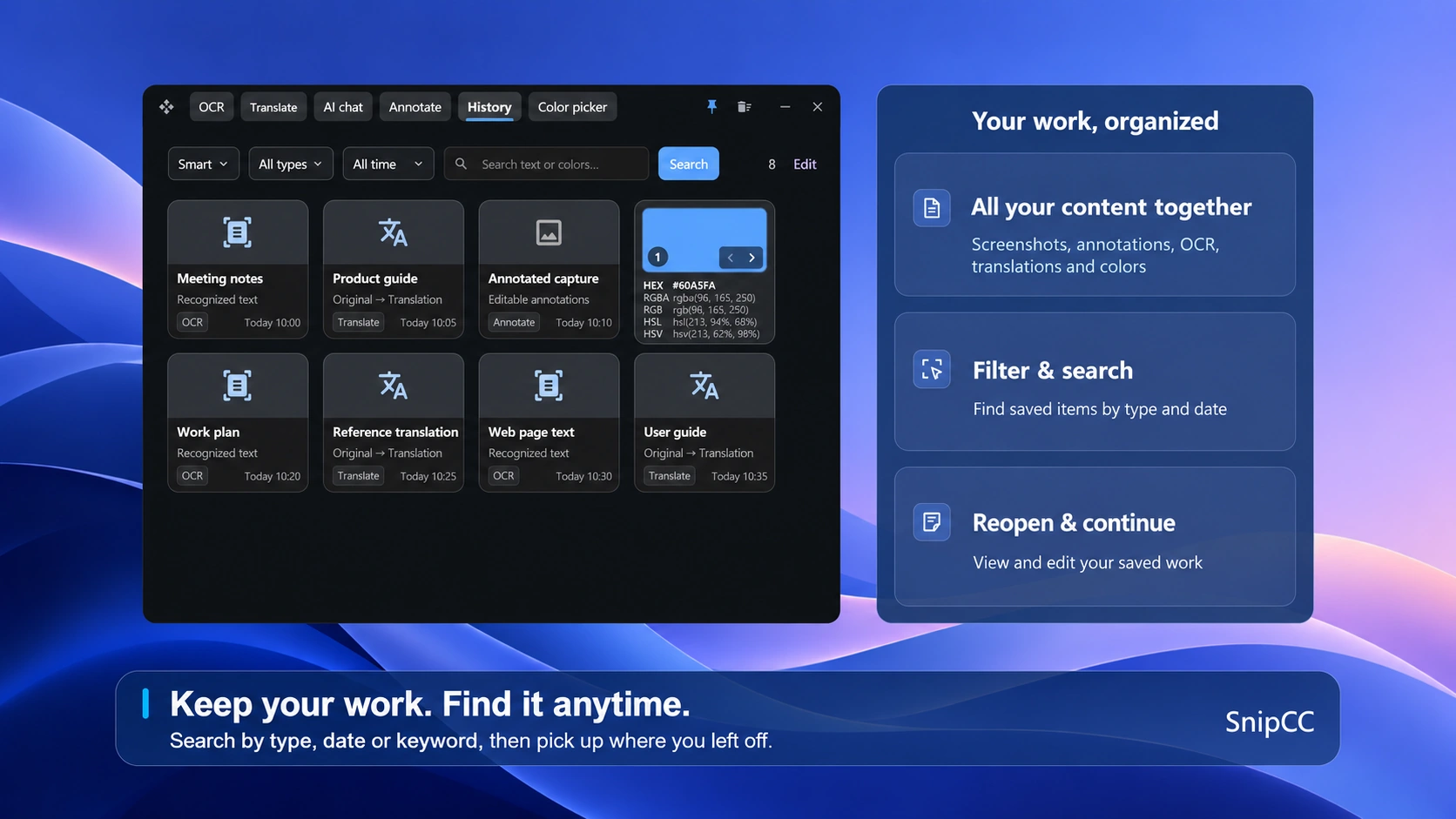
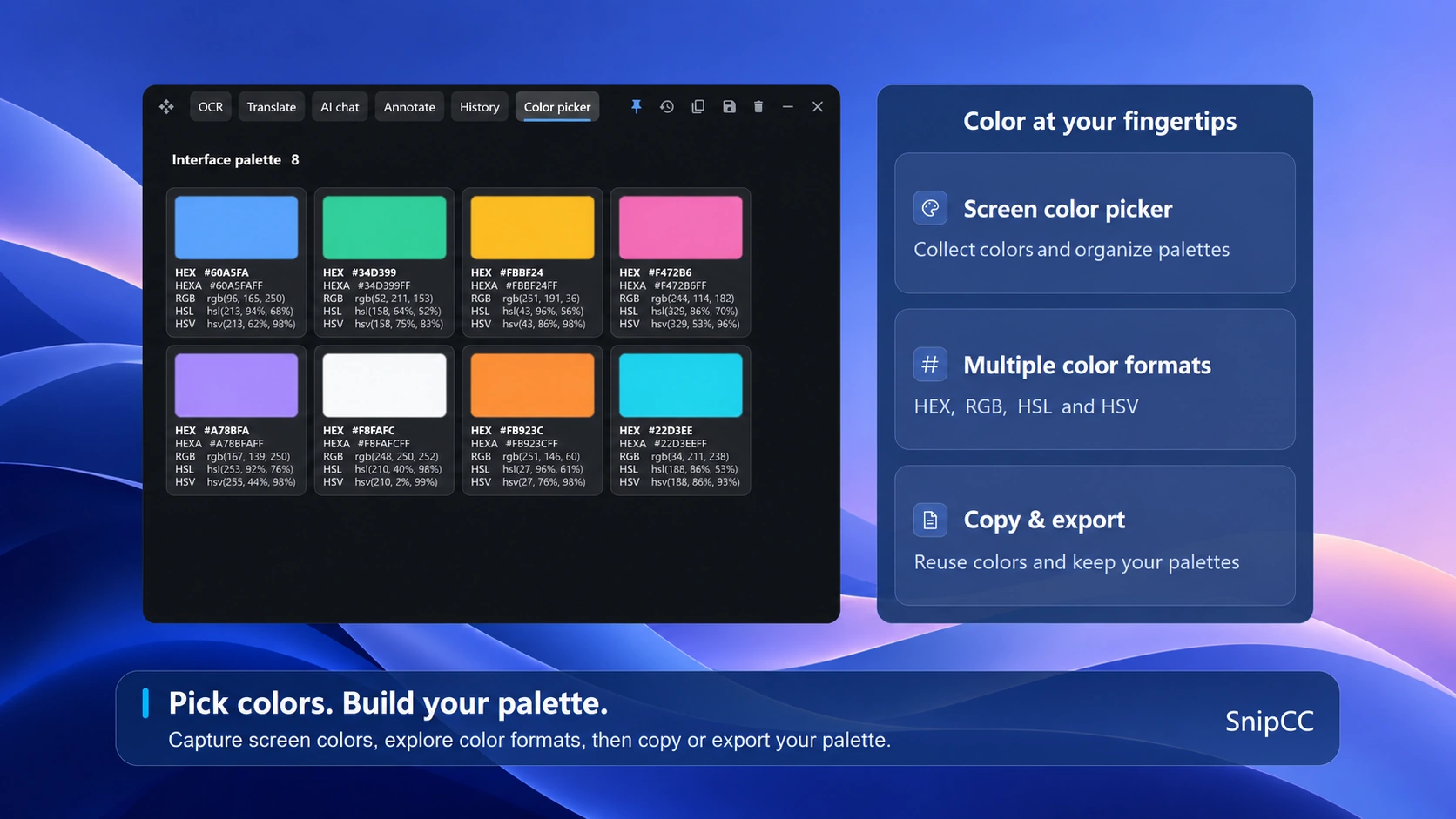
SnipCC brings screenshots, annotation, OCR, translation and AI together in one app for Windows 10 version 2004 and later on x64 devices.
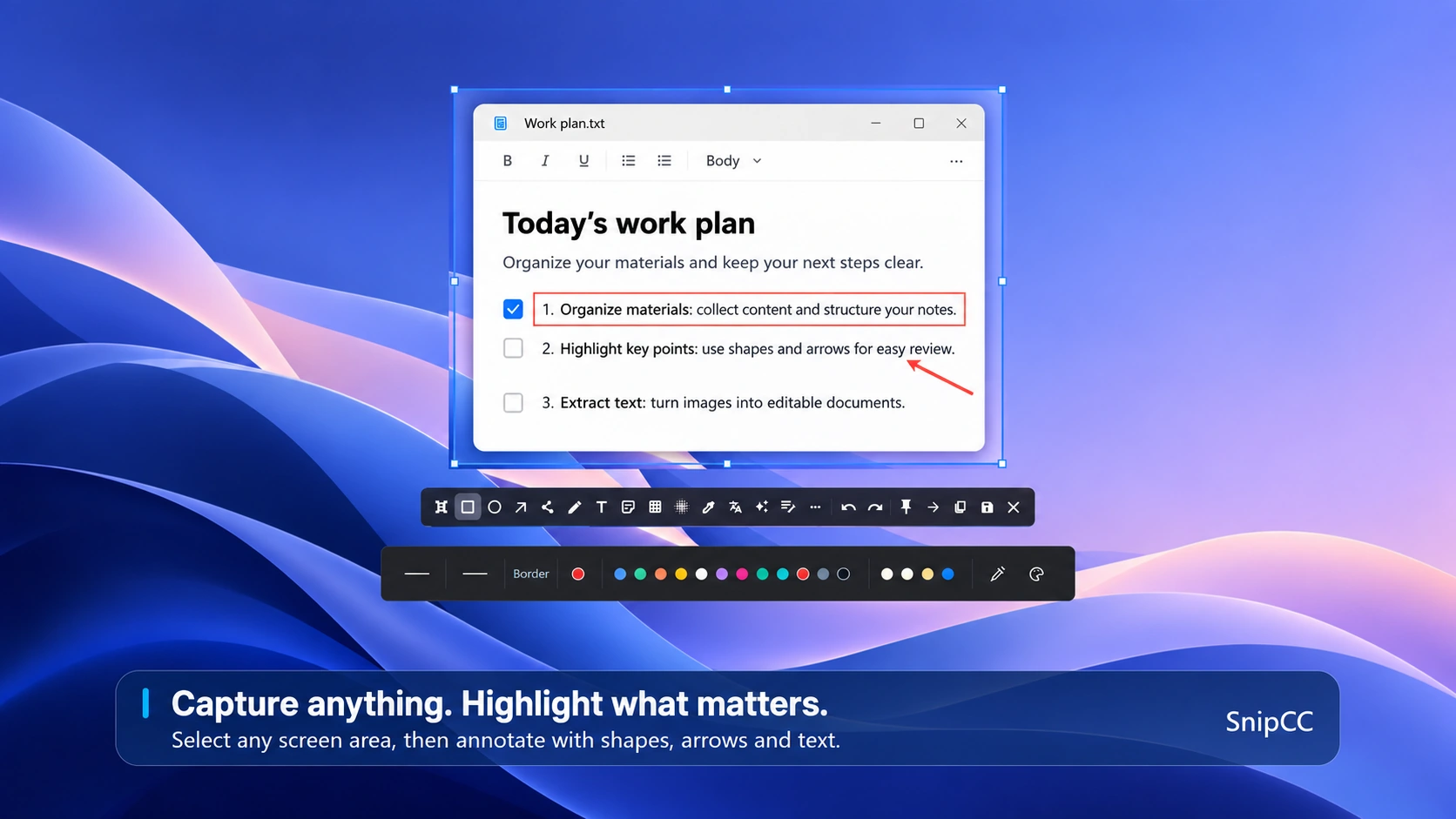
Capture and annotate
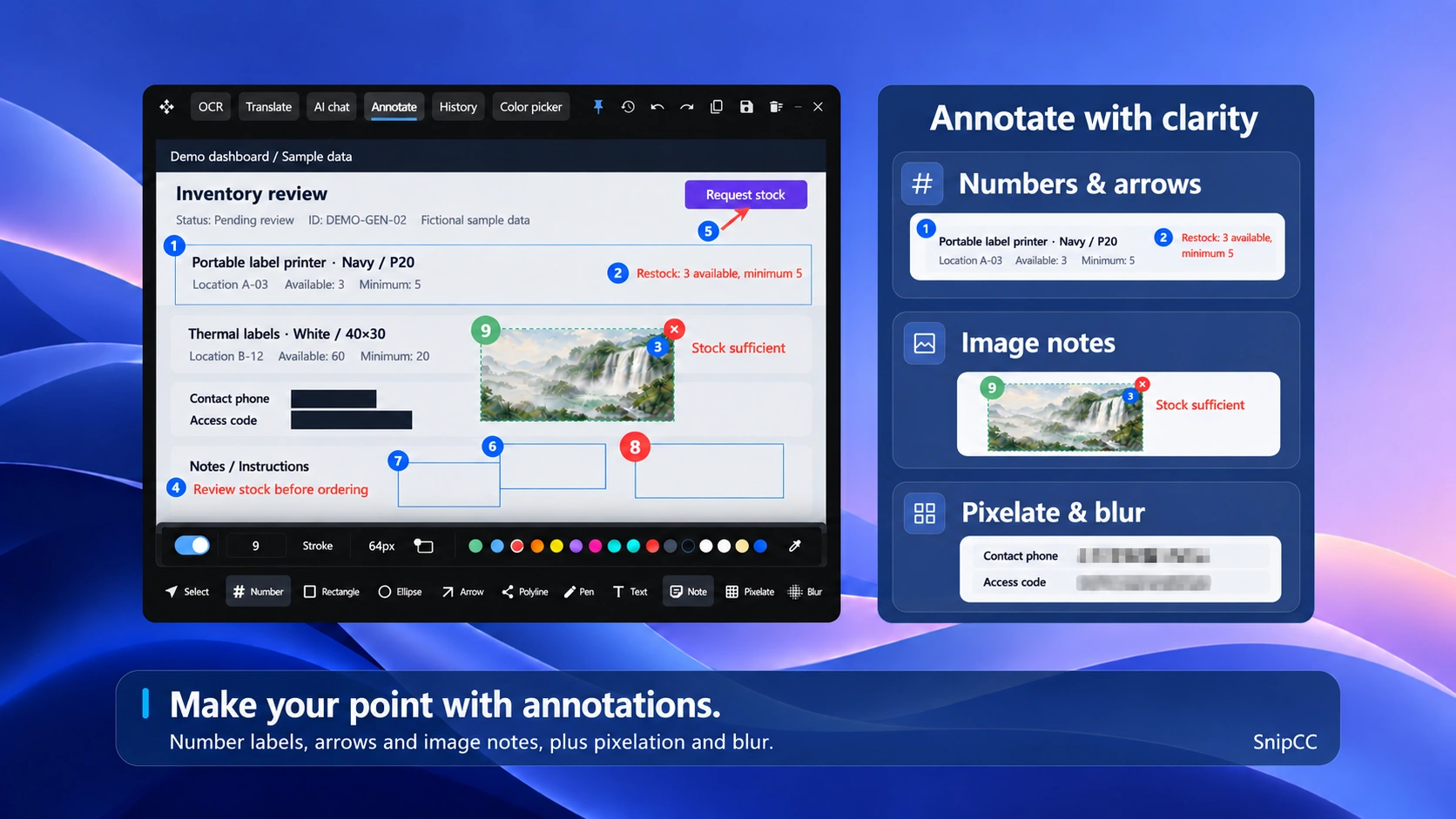
Select a capture region and highlight details with rectangles, arrows and text for feedback and instructions.
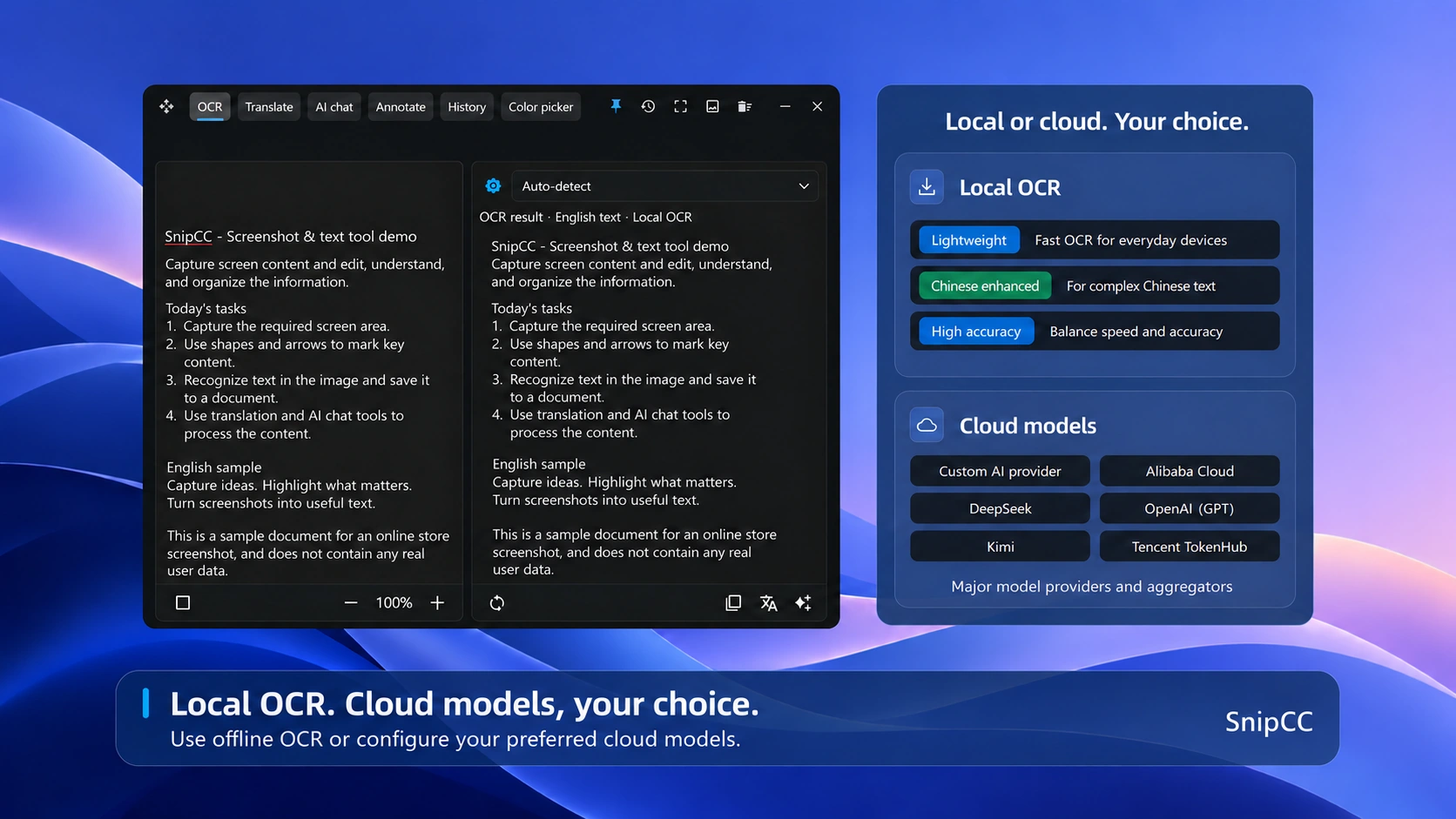
Extract text from images
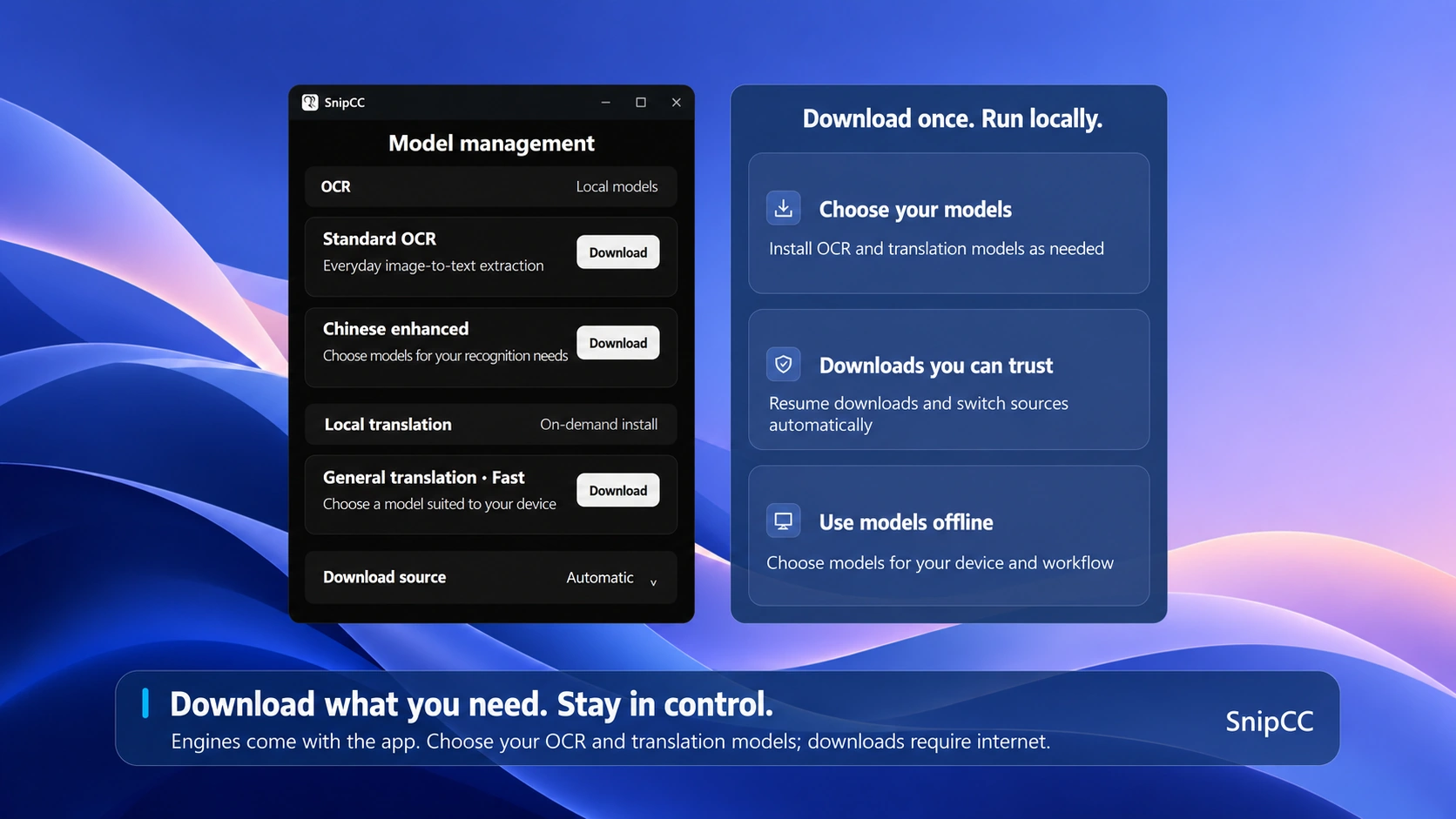
Extract text from images and review it against the original. Install a local model to use the recognition capabilities it supports.
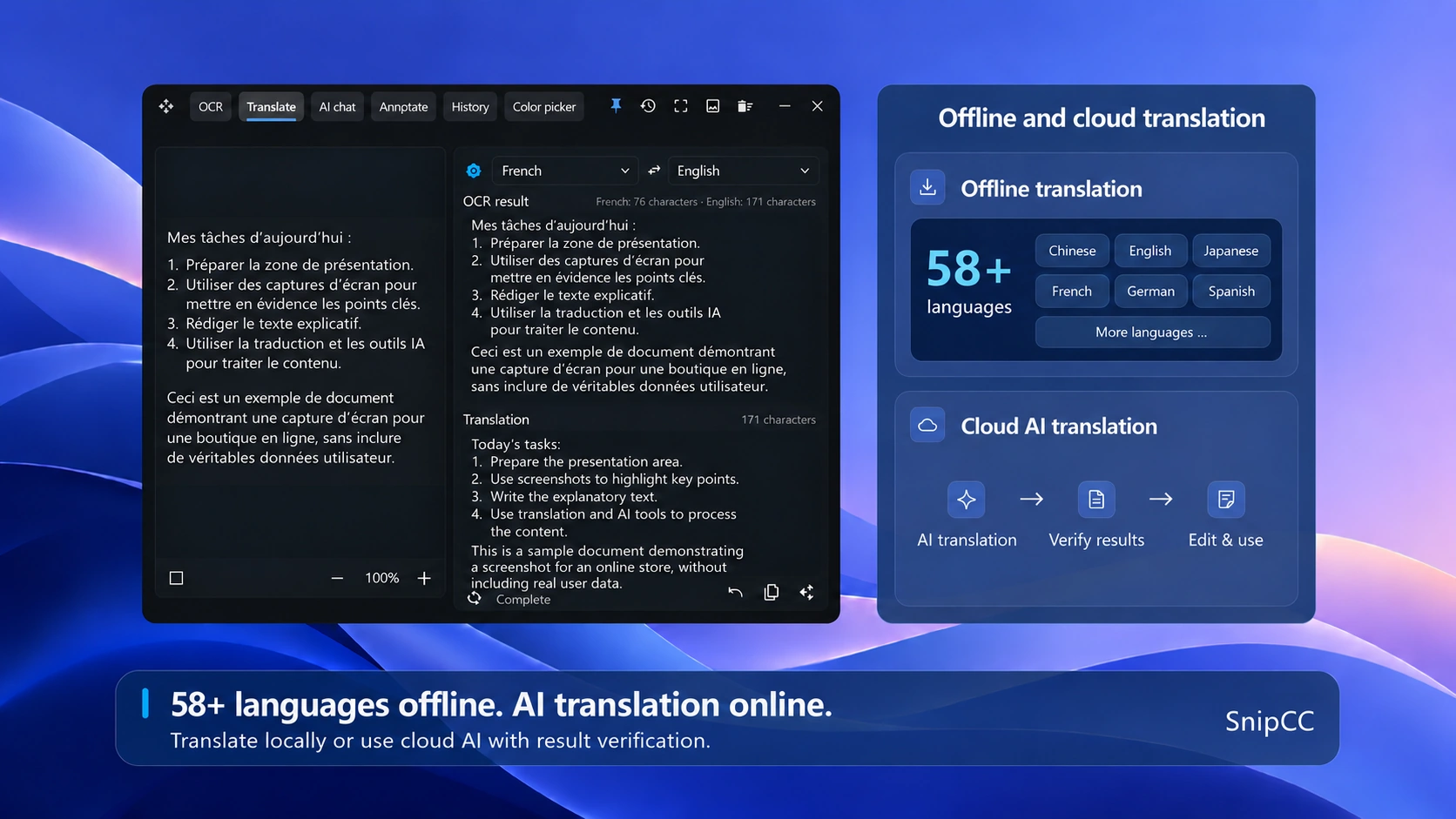
Screenshot and text translation
Recognize screenshot text, translate it and compare source and result with installed or configured models.
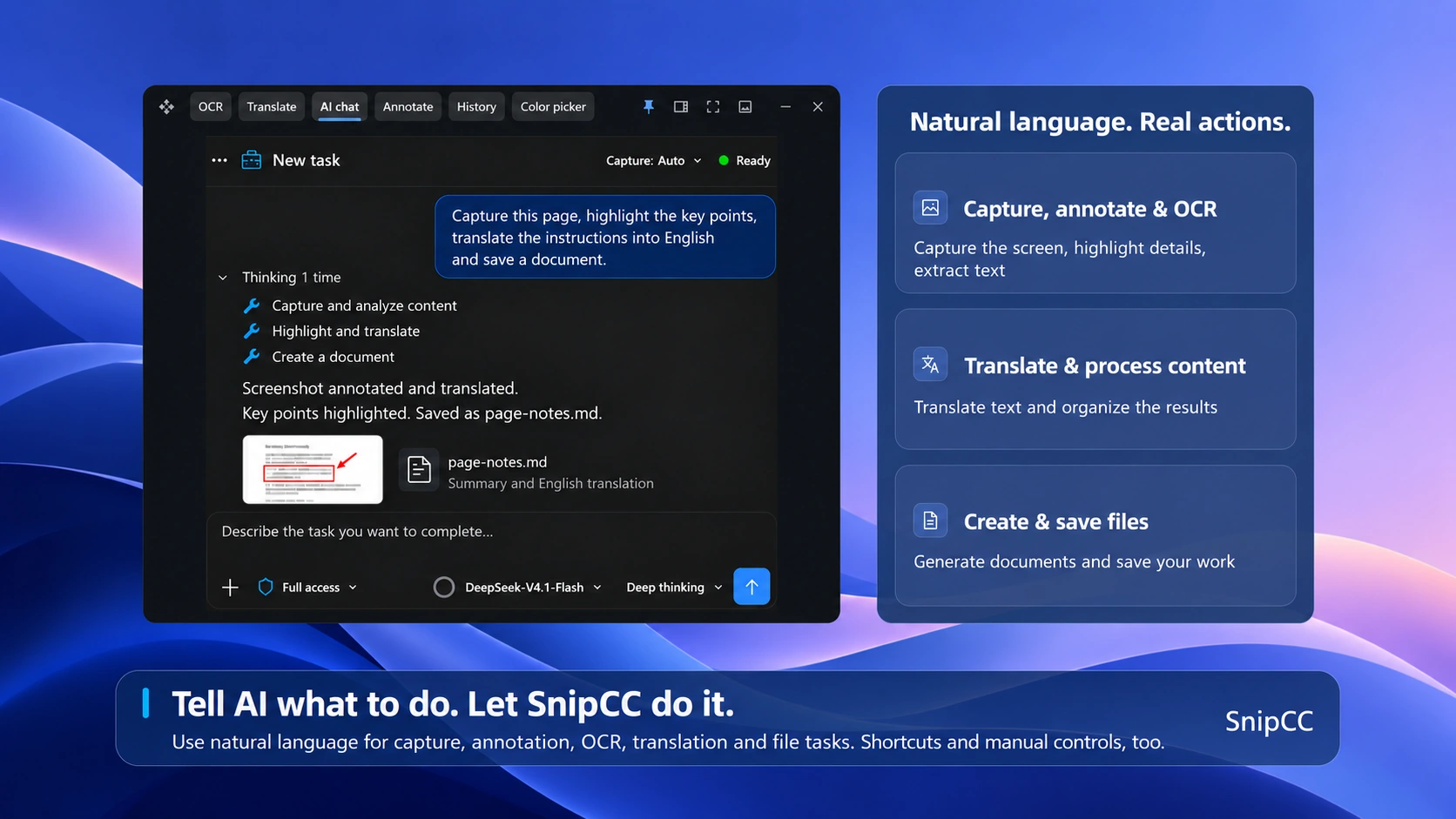
AI Chat and tools
Configure your AI service and credentials to chat about screenshots. AI Work is a membership benefit; third-party charges depend on the provider.
Download and install for Windows
Check system requirements, get the official installer and follow the installation steps to start using SnipCC.
Help and frequently asked questions
Find tutorials, requirements and frequently asked questions in the unified Help Center.
Models and service setup
Understand local models and cloud services, and configure the models and credentials for OCR, translation and AI.
Membership and activation
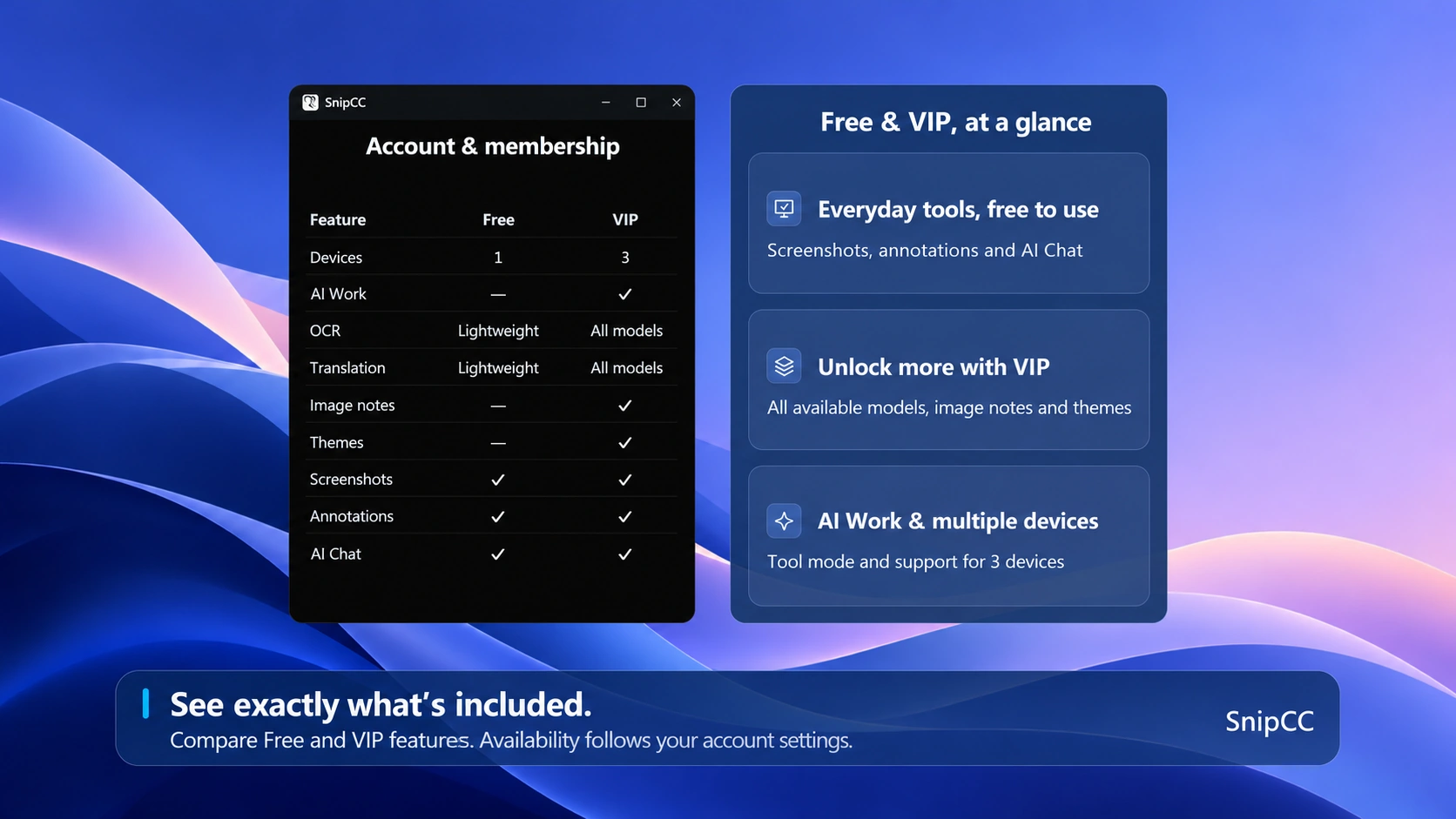
Compare free features and membership benefits, check purchase availability, and learn how to redeem existing codes and authorize devices.
Download SnipCC
Windows
Windows 10 version 2004 or later · x64
Free
- Capture & annotation
- Regular screenshots and annotation tools
- OCR & translation
- Lightweight recognition and translation
- AI
- Access to AI Chat
- Personalization
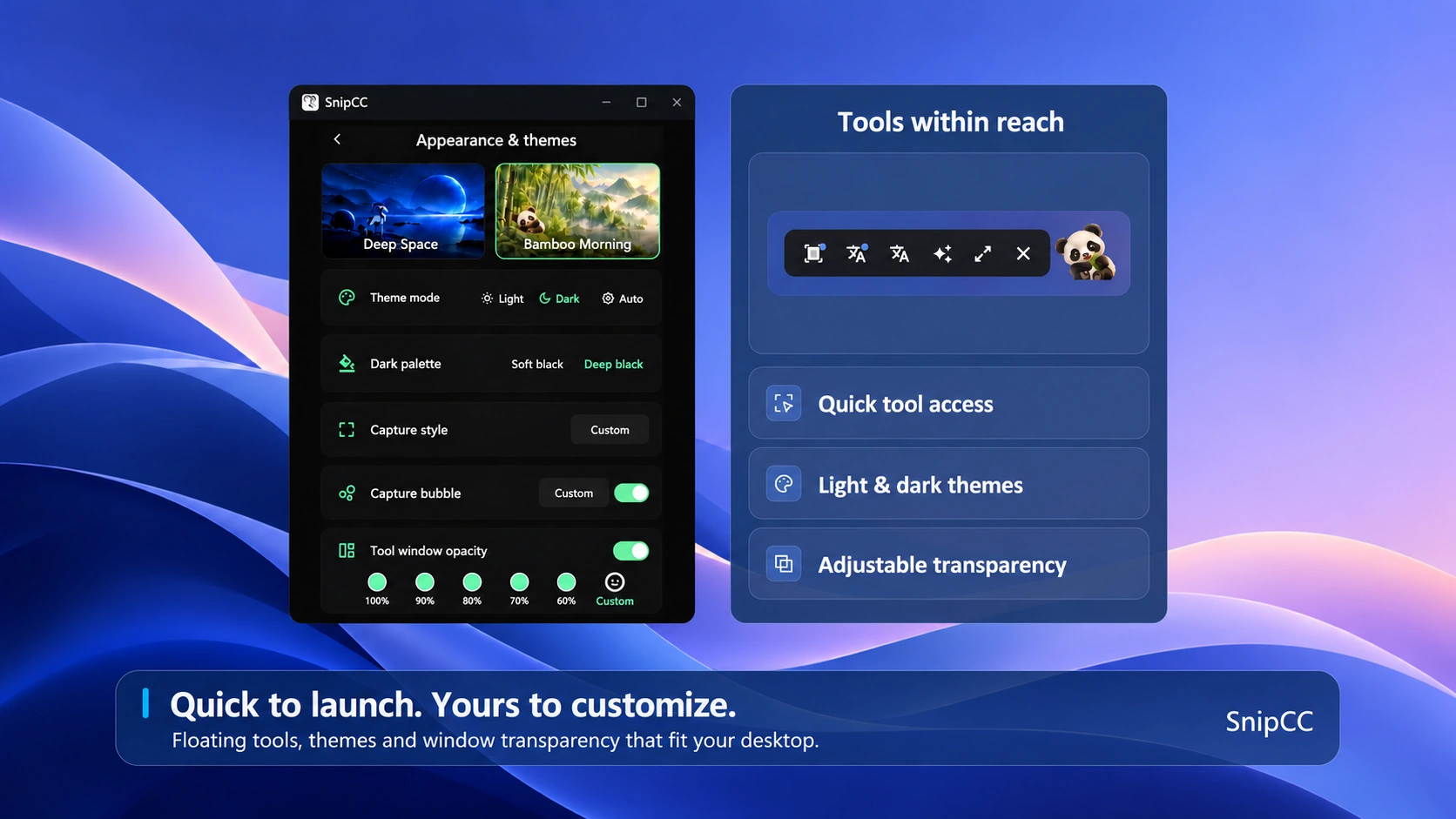
- Basic appearance
Membership
- Capture & annotation
- All Free capture and annotation features
- OCR & translation
- All available OCR and translation models
- AI
- AI Chat plus AI Work tool workflows
- Personalization
- Sticky notes and theme switching
How to purchase membership
Coming soon · Not yet available- 1Open SnipCC
- 2Go to Account → Membership
- 3Choose a plan
- 4Pay with Microsoft Store
Already have an activation code? Sign in and redeem it on the Account page in the app.
Membership
- Capture & annotation
- All Free capture and annotation features
- OCR & translation
- All available OCR and translation models
- AI
- AI Chat plus AI Work tool workflows
- Personalization
- Sticky notes and theme switching
How to purchase membership
Coming soon · Not yet available- 1Open SnipCC
- 2Go to Account → Membership
- 3Choose a plan
- 4Pay with Microsoft Store
Already have an activation code? Sign in and redeem it on the Account page in the app.